
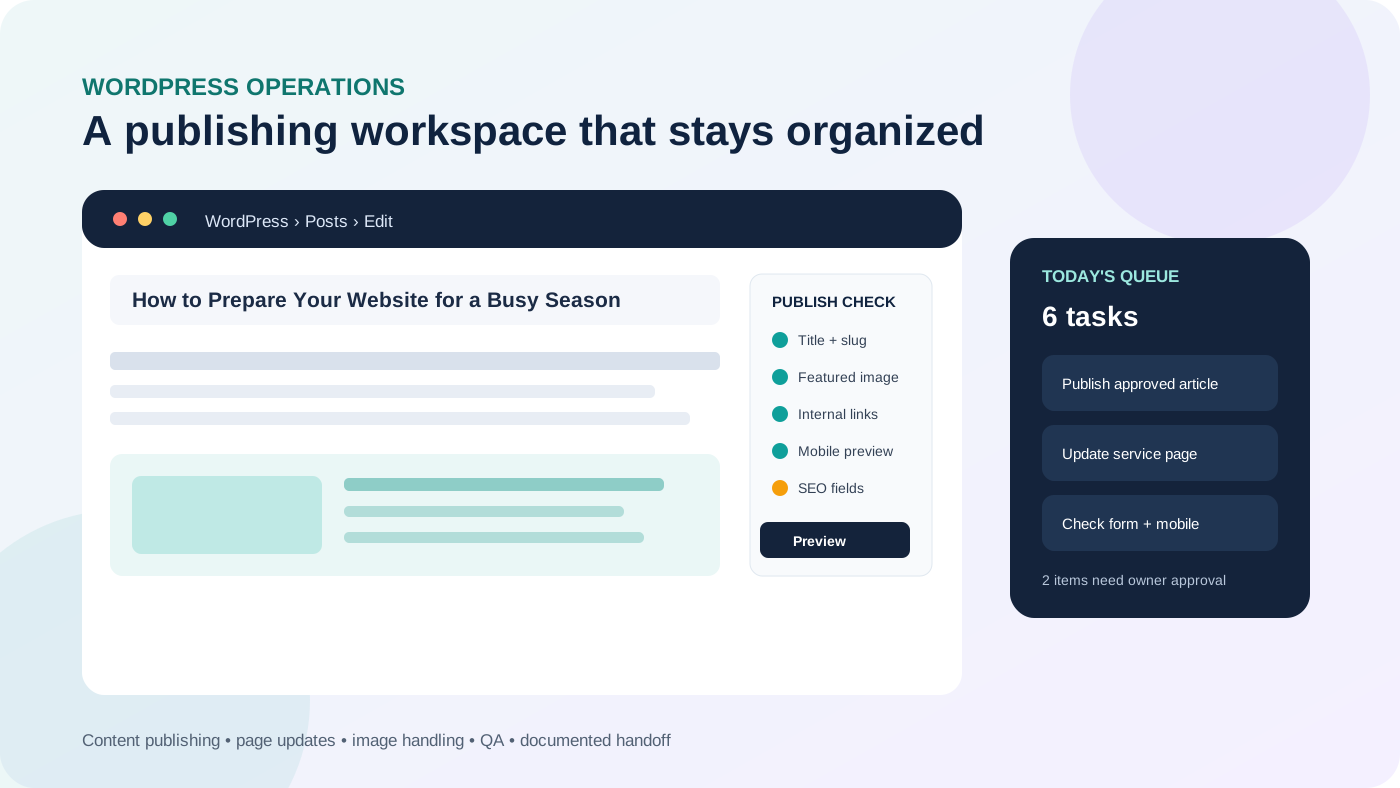
WordPress is easy to start using, but a growing website creates a steady stream of small jobs: publishing approved articles, replacing images, updating service pages, checking forms, fixing formatting, maintaining links and making sure changes still look right on mobile. None of those tasks may justify a full development project, yet together they can consume hours every month.
What is a WordPress virtual assistant?
A WordPress virtual assistant is a remote support professional who works inside WordPress and related business tools to keep routine website work moving. The role is usually more operational than a web developer's: the VA follows an approved workflow, updates content, performs defined checks and records what changed.
KatVerra's WordPress virtual assistant support is built around that managed execution layer. The goal is not to give someone unrestricted access and hope for the best; it is to create a repeatable queue of website tasks with clear approval and escalation boundaries.
What tasks can you delegate to a WordPress VA?
The strongest starting tasks are frequent, explainable and easy to verify. They should have a clear source of truth and a clear definition of done.
1. Publish and format approved content
A WordPress VA can upload finished copy, apply heading structure, format lists and tables, set categories, prepare excerpts, add supplied images, write or apply approved alt text, preview the post and schedule publication. This is especially useful when the writing is finished but the CMS work keeps delaying publication.
2. Update existing pages
Routine edits can include changing business information, replacing outdated paragraphs, updating team details, adding approved calls to action, correcting broken links and swapping images. A good task identifies the exact URL and requested change rather than simply saying “update the website.”
3. Handle image preparation
Images often arrive too large, badly named or without useful alternative text. A VA can resize or compress supplied assets, use sensible filenames, upload them to the media library, add descriptive alt text where appropriate and verify that the page still loads and displays correctly.
4. Perform publishing QA
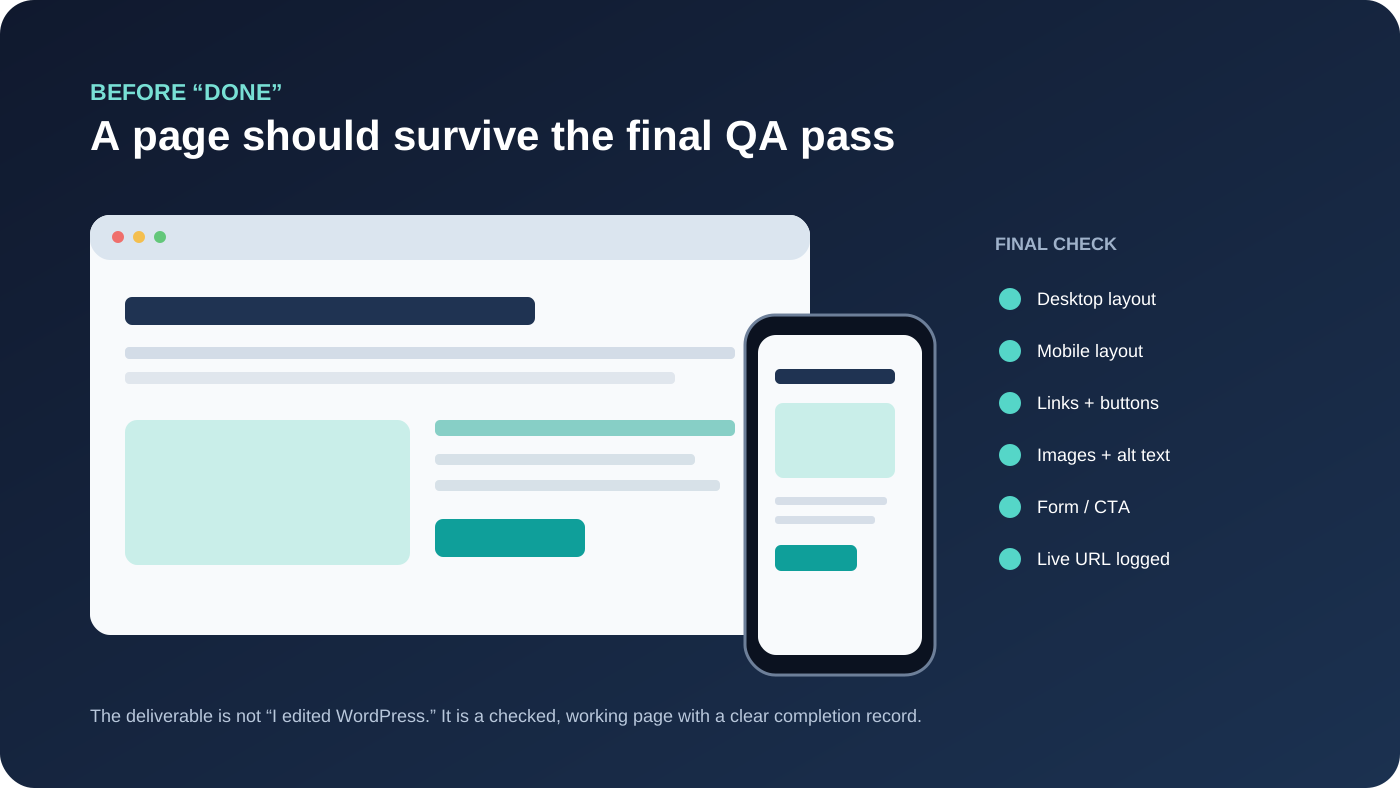
Before marking a task complete, the VA can check desktop and mobile layouts, links, buttons, forms, headings and obvious visual problems. This is operational QA—not a substitute for specialist accessibility, security or performance testing—but it catches many common publishing mistakes.
5. Support basic on-page SEO implementation
When the SEO direction is already approved, a WordPress VA can enter title tags and descriptions, add contextual internal links, update headings, insert optimized images and maintain page-level checklists. For a deeper look at the execution side of search work, see the guide to SEO virtual assistant tasks and workflow.
6. Maintain content inventories and change logs
A simple tracker can record the URL, requested change, completion date, reviewer and unresolved issue. That becomes increasingly valuable as a site grows because the business can see what changed without reconstructing the history from chat messages.
WordPress VA, maintenance provider or developer?
These roles can overlap, but treating them as interchangeable creates unnecessary risk. A WordPress VA is usually a good fit for recurring content and administration. A maintenance provider may own backups, updates, uptime and recurring technical checks. A developer is the better owner for custom code, complex integrations, serious errors and structural changes.
If the main need is keeping the technical upkeep organized, use a dedicated WordPress maintenance checklist rather than quietly adding every maintenance responsibility to a general VA role.
Tasks that should have stronger controls
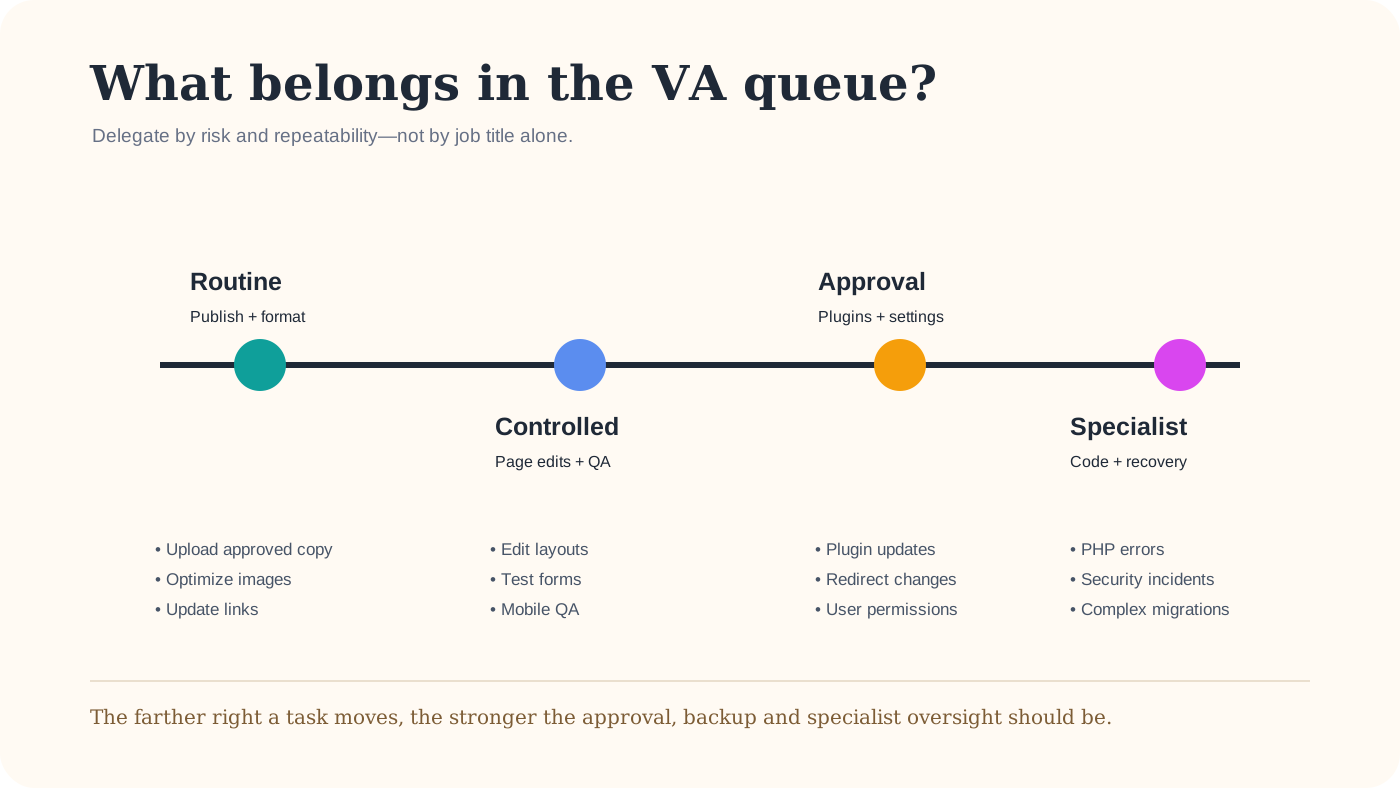
Some WordPress actions can affect the entire site. Plugin and theme updates, redirects, user permissions, DNS, caching configuration, payment settings, database work, security incidents and production code changes should not be treated like ordinary content edits.
That does not mean a VA can never assist with them. It means the workflow should define who approves the action, whether a backup or staging environment is required, how the change will be tested and who owns recovery if something fails.
What about page builders such as Divi?
A WordPress VA who knows a page builder may be able to edit existing modules, duplicate approved layouts, replace text and images, and perform basic responsive checks. Designing a new conversion-focused layout or solving builder-specific technical problems is a different level of work. When the requirement is a new page or more substantial design work, a dedicated Divi web design service is a clearer fit than stretching a routine administration task.
A safer way to delegate WordPress work
Start with a narrow queue
Choose a few recurring tasks such as publishing posts, updating approved page copy and checking forms. Review the first several completions closely before widening access or responsibility.
Use the minimum access needed
An assistant who only publishes content may not need administrator-level permissions. Use individual accounts where possible, enable strong authentication and expand access only when the work genuinely requires it.
Define “done” before assigning the task
A completion standard might require the live URL, mobile check, working links, correct image, successful form test and a short change note. This reduces the gap between “I made the edit” and “the page is actually ready.”
What should you look for in a WordPress VA?
Software familiarity matters, but evidence of careful execution matters more. Ask candidates to explain a real publishing workflow: where the source copy came from, how they handled images, what they checked before publishing and what kinds of changes they would escalate instead of guessing.
Useful skills can include WordPress administration, Gutenberg or the page builder you actually use, image preparation, basic HTML/CSS awareness, on-page SEO implementation, WooCommerce content management, form checking and organized documentation. You do not need every skill in one person if the role is clearly scoped.
When does WordPress VA support make sense?
It is a strong fit when the website already has a direction but recurring execution keeps falling behind. Common signs include an article backlog, outdated service pages, inconsistent image handling, small edits waiting for weeks, broken links that nobody owns, or a business owner repeatedly logging into WordPress for tasks that could follow a checklist.
It is less suitable when the real problem is a broken site, a major redesign, malware, complex custom development or a migration. Those situations need specialist diagnosis rather than a larger administrative queue.
A simple first-week handoff
- List the three WordPress tasks that repeat most often.
- Provide one example of a correctly completed task.
- Set the minimum account permissions required.
- Define which changes require approval.
- Use a shared tracker for URLs, status and exceptions.
- Review the first batch before expanding the scope.
This small start gives both sides a chance to test the workflow. Once the process is reliable, additional responsibilities can be added deliberately instead of turning the role into an undefined list of “anything website related.”
Final takeaway
A WordPress virtual assistant is most valuable when routine website work is already understood but needs consistent execution. Content publishing, page updates, image handling, basic SEO implementation, QA and documentation can all be delegated effectively when access and decision boundaries are clear.
The objective is not simply to spend fewer minutes inside WordPress. It is to build a website operating rhythm where routine changes happen on time, important exceptions are escalated and higher-risk technical work reaches the right specialist.