Requested updates
Agreed page, post, media or content changes are handled within the approved scope.
WordPress virtual assistant support for small businesses and agencies: blog uploads, page edits, media placement and routine Divi content updates, with clear review and approval steps.
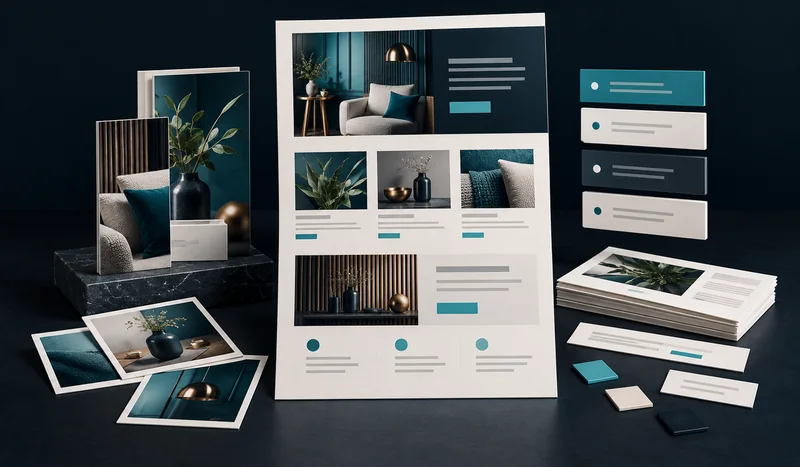
Many website tasks are operational rather than deeply technical: replacing copy, publishing a post, changing an image, creating a page from an existing layout, checking links or updating a call to action. A WordPress virtual assistant handles this routine layer while escalating development-level issues when appropriate.
For a blog upload, a reviewable handoff can include the draft URL, heading structure, image placement, checked links and publication status. That keeps routine WordPress publishing separate from custom development or plugin troubleshooting. Our WordPress VA task guide explains the distinction. When the request involves a new feature or custom code, discuss WordPress development before treating it as a content edit.
Start with a manageable publishing queue: identify the pages, provide approved copy and assets, and name the person who signs off. You can then review draft links and completed changes without losing track of what is ready to publish.
Katverra Solutions can work with WordPress and Divi for page edits, content placement, module updates and routine layout changes. Before higher-risk changes, a backup or staging workflow is preferable. Plugin conflicts, custom code and server issues may require deeper development work and should not be treated like ordinary content editing.
Keep your website queue moving with defined, reviewable tasks.
Replace approved text, images, buttons and page sections.
Prepare supplied articles with headings, internal links, images and a draft URL for your review.
Update existing modules and layouts within the agreed scope.
Upload, organize and place appropriately sized assets.
Check obvious formatting, link and responsive issues after edits.
Maintain an agreed queue of content requests, draft links, approvals and completed updates.
A careful publishing workflow checks headings, links, image sizing, mobile behavior and the page’s existing design conventions. The goal is to make the requested update while preserving the surrounding site rather than rebuilding unrelated sections.
Choose WordPress VA support for recurring publishing and controlled edits to an existing site. For software updates, backup checks and technical upkeep, discuss WordPress maintenance services. A new site, major redesign or custom feature belongs under web design and development.
Even a small edit can create problems if it is made in the wrong template or if a plugin behaves unexpectedly. Before recurring work begins, identify which pages are safe to edit, whether a staging site exists, how backups are handled and who can approve plugin or theme changes.
Content updates should preserve the site’s design system. New sections should reuse established spacing, buttons and typography where possible instead of introducing a different style on every page.
For a new article or page, check the title, headings, URL, links, featured image, alt text where appropriate, mobile layout and call to action. Confirm that drafts intended for review are not accidentally indexed or published early.
Routine administration can include content, media and controlled Divi changes. PHP errors, database problems, malware, custom integrations and complex performance issues may require a developer or hosting specialist. Clear escalation protects the site from trial-and-error fixes on production.
For businesses that need a complete redesign rather than ongoing edits, Katverra Solutions’s Divi Web Design and Small Business WordPress Design services provide a more appropriate project structure.
WordPress assistance is scoped around the actual backlog so routine production stays controlled and reviewable.
Agreed page, post, media or content changes are handled within the approved scope.
Edited areas are reviewed at practical viewport sizes where the task affects layout.
Links, visible content and affected page behavior are checked before completion.
Completed items and anything needing your decision are clearly handed back.
Sample project
What you receiveA useful website update ends with more than a changed page. It should be clear what was requested, what was checked and what still needs your approval.
A fictional service business has an approved article and an existing WordPress layout. It needs the article formatted, an outdated service-page paragraph replaced and a contact button checked.
Demonstration handoffDraft page with clear headings, supplied image and relevant links
Demonstration handoffUpdated paragraph with the approved wording retained
Demonstration handoffDestination checked and result recorded
Demonstration handoffNotes covering narrow and wide layouts, spacing and content placement
Demonstration handoffDraft links, change summary and outstanding questions
Example work summary
This demonstrates a handoff format. Checks, tools and deliverables depend on the agreed task scope.
Send the page links, approved copy, supplied assets and a short explanation of the change. Let us know whether work should remain in draft and which person approves publication. Access should match the work being performed.
Yes, but that is better scoped under WordPress Web Design or Divi Web Design rather than routine VA support.
For changes with meaningful risk, a backup or staging process is recommended before editing.
Potentially, but plugin changes should be scoped carefully because they can affect security, performance and compatibility.
Yes. Katverra Solutions offers both routine Divi editing and dedicated Divi web design services.
Yes. With your approved copy and assets, the agreed task can cover headings, image placement, internal links and formatting in your existing layout. We can leave the post as a draft for approval before publication.
Yes. Start with an agreed task list, expected workload, access permissions and review process. The quote depends on the work involved; software maintenance and custom development are scoped separately.
Tell us what you need, what tools you use and what a successful deliverable looks like. We will recommend a practical scope rather than forcing your project into a generic package.